01 — What Is a BSP?
A: Board Support Package is the software layer required to enable a particular:
SoC, Board, Peripheral Architecture to operate correctly.
It may include:
bootloader configuration
kernel configuration
Device Tree
board-specific drivers
firmware
hardware initialization
build integration
board utilities
patches
A BSP Is the Software Definition of the Hardware Platform.
02 — BSP Is More Than a Vendor SDK
A semiconductor vendor may provide: Reference BSP.
But your product may use:
than the evaluation board. Vendor BSP Enables the Reference Board. Product BSP Enables Your Board.
03 — Reference Board ≠ Product Board
The EVK boots successfully. Then the custom board is manufactured.
And suddenly: Ethernet fails, USB disappears, Camera has no frames, PCIe does not train, Linux crashes randomly.
Why?
Because: Hardware Changed.
The software must now represent the actual hardware.
04 — The BSP Begins Before Linux
Some hardware must already work before the Linux kernel begins. Examples can include:
DRAM
power rails
clocks
boot storage.
Therefore BSP engineering can cross: Boot Firmware → U-Boot → Linux Kernel → Userspace.
Hardware Enablement Is a Boot-Chain Problem.
05 — Hardware Bring-Up Hierarchy
A useful bring-up order is conceptually: Power → Clock → Reset → DDR → Debug Console → Boot Storage → Kernel → Basic Peripherals → High-Speed Interfaces → Application Hardware
Bring Up Dependencies Before Features.
06 — Start With the Schematic
Before touching driver source code: Read the Schematic.
Understand:
power rail
reset
interrupt
bus
address
pull-up/down
clock
level translator
connector.
Drivers Should Be Written Against Hardware Reality — Not Assumptions.
07 — Datasheet + Schematic + PCB
The actual hardware definition comes from combining: Device Datasheet, SoC Reference Manual, Schematic, PCB Implementation, Board Revision.
No Single Document Describes the Complete Product.
08 — Pinmux
Modern SoCs multiplex many functions onto the same physical pins.
One pin could potentially be: GPIO or: UART or: SPI or: PWM.
Pin Assignment Is Hardware / BSP Co-Design.
09 — Wrong Pinmux Looks Like a Dead Device
Suppose the I²C driver is perfect. But the pins are configured as GPIO.
Then: The Software Driver Cannot Fix the Electrical Pin Function.
10 — Pinctrl
Linux platforms commonly use pinctrl infrastructure to describe and control:
pin function
bias
drive characteristics
where supported. Pin Electrical Configuration Belongs to Platform Architecture.
11 — Pull-Up / Pull-Down
An external resistor on the schematic and an internal SoC pull configuration can interact.
Software Configuration Can Change PCB Electrical Behavior.
12 — Drive Strength
Some SoCs allow configurable output drive.
Too weak: signal integrity problem.
Too strong:
may increase. Driver Settings Can Become SI / EMC Parameters.
13 — Slew Rate
If hardware supports it, firmware/kernel configuration may affect output edge rate.
Software Can Change the Spectrum Leaving the Pin.
Another connection between: Driver Engineering
and: EMC Engineering.
14 — Clock Tree
A peripheral does not operate simply because: its register exists.
It may require: Parent Clock → PLL → Divider → Gate → Peripheral Clock.
15 — Clock Frequency
Incorrect clocking can produce:
wrong UART baud
incorrect I²C/SPI timing
unstable interfaces.
Peripheral Timing Begins With the Clock Tree.
16 — Clock Parents
Complex SoCs may offer several clock sources.
The correct selection can influence:
accuracy
power
performance.
Clock Source Is Part of Device Configuration.
17 — Clock Enable
A perfectly mapped peripheral with its clock disabled can look: Completely Dead.
This is why hardware bring-up requires dependency thinking.
18 — Clock Debugging
Ask:
Is the input clock present?
Did PLL lock?
Is gate enabled?
What frequency reaches the peripheral?
Verify the Clock Before Rewriting the Driver.
19 — Reset Controller
Many peripherals have dedicated reset lines.
The normal sequence may require: Assert → Power / Clock Valid → Deassert
depending on device architecture. Reset Is a Hardware State — Not Just a Software Function Call.
20 — Reset Polarity
An active-low reset interpreted as active-high can keep hardware permanently reset. One Bit of Polarity Can Make an Entire Subsystem Disappear.
21 — Reset Timing
Some components require defined timing between:
power valid
clock valid
reset release.
Datasheet Timing Requirements Become BSP Timing Requirements.
22 — External Reset GPIO
Some devices use GPIO-controlled reset. The Device Tree / driver should represent this correctly. Board-Level Wiring Becomes Driver Configuration.
23 — Regulators
A peripheral may require several rails:
PHY.
A Driver Cannot Communicate With an Unpowered Device.
24 — Regulator Framework
Linux provides regulator infrastructure allowing drivers and board descriptions to represent device supplies.
Power Dependencies Should Be Machine-Readable.
25 — Supply Naming
Correct supply association lets the system understand: This device requires this rail.
Power Architecture Should Not Be Hidden in Random GPIO Code.
26 — Power Sequencing
Some devices require: Rail A
before: Rail B
and then: Reset Release.
Driver Probe May Be Part of a Physical Power Sequence.
27 — Power Domain
Large SoCs can power-gate entire functional regions.
A peripheral inside a disabled domain may be inaccessible.
Registers Exist Only When the Silicon Domain Is Alive.
28 — Generic Power Domains
Platform power-domain architecture can coordinate:
power gating
dependencies
runtime management.
Power Management Should Follow the Hardware Hierarchy.
29 — GPIO
GPIO looks simple. But reliable GPIO integration may involve:
direction
active state
pull
interrupt
debounce
power state.
A GPIO Is Still a Hardware Interface.
30 — Active-Low Semantics
If a device has: RESET_N then software should ideally represent its logical meaning rather than forcing application code to remember inverted electrical polarity everywhere.
Separate Electrical Polarity From Functional Meaning.
31 — Device Tree
On many embedded Linux architectures, Device Tree describes the non-discoverable hardware topology. Linux's current Devicetree documentation maintains source, overlay, API and binding frameworks, while bindings are expressed through JSON Schema-compatible YAML.
Device Tree Is the Hardware Contract Between Firmware and the Kernel.
32 — Device Tree Should Describe Hardware
This principle is extremely important.
Linux's own Device Tree guidance explicitly says bindings should describe: what the hardware has
rather than: what the current Linux driver happens to support.
That means: Device Tree Is Hardware Description — Not Driver Configuration Dump.
33 — compatible
The compatible relationship allows Linux to identify: What Hardware This Node Represents.
It participates in driver matching.
34 — Driver Binding
Linux's driver core binds compatible hardware/device instances to drivers through bus-specific matching rules.
Conceptually: Device Exists → Compatible Driver Registers → Bind → Probe.
35 — probe()
probe() is where a driver begins ownership/configuration of the matched hardware.
But a good probe function should not become: The Entire Driver.
36 — Probe Dependencies
Probe may require:
regulators
clock
GPIO
interrupts
DMA
firmware.
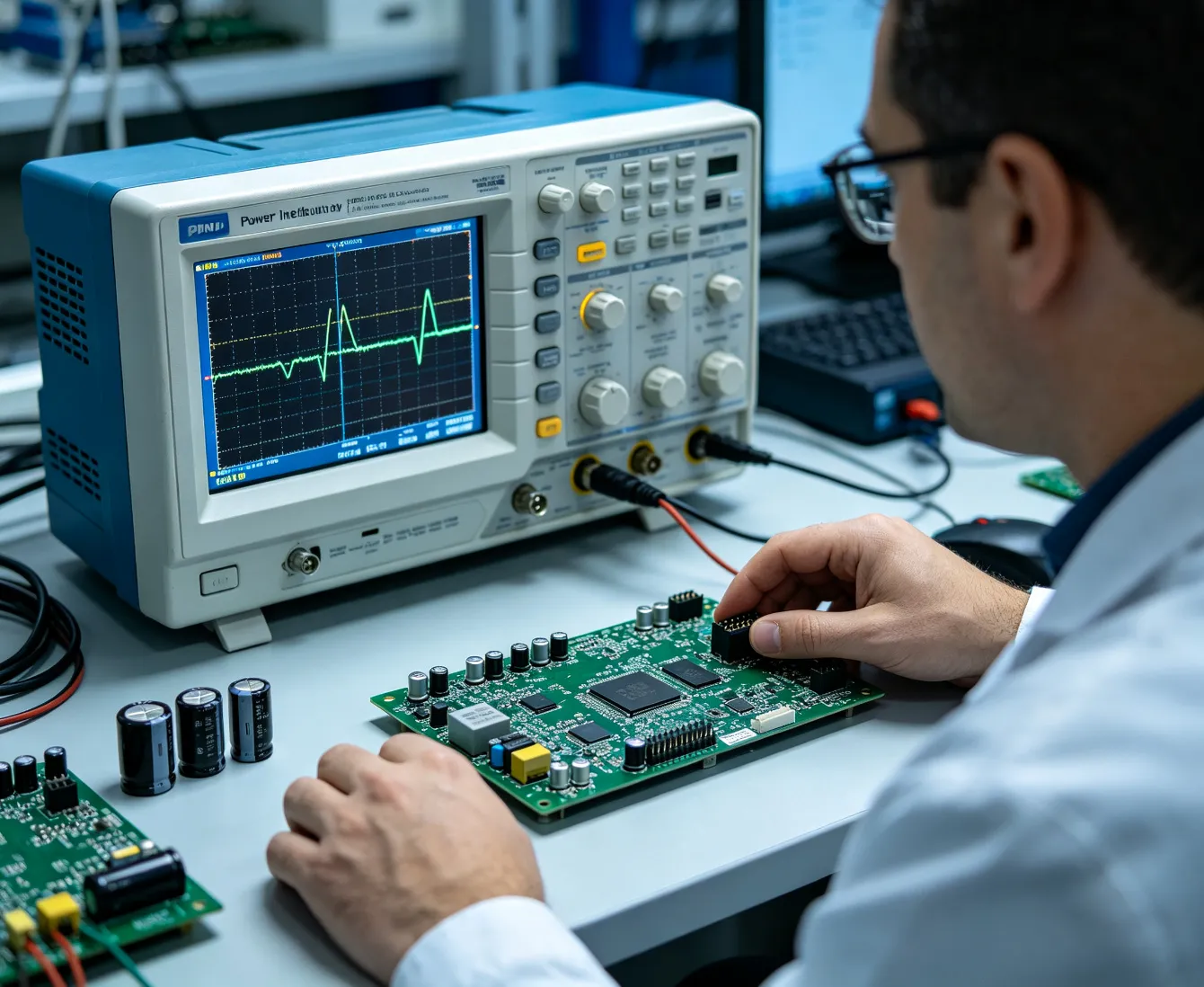
Driver Probe Is Dependency Resolution.
37 — Deferred Probe
Sometimes a dependent provider is not available yet. Linux can defer device initialization until dependencies are ready. Boot Order Should Follow Dependencies — Not Random Delay Loops.
38 — Never Fix Probe Timing With "sleep 5"
A shell delay may hide: Dependency Modeling Failure.
The architecture should express real dependency whenever the subsystem supports it.
39 — Device Tree Binding Schema
Modern Linux DT bindings use: JSON Schema vocabulary encoded in YAML.
The official framework supports explicit properties, requirements, constraints and automated validation. Hardware Description Can Be Schema-Validated.
40 — dt_binding_check
Bindings themselves can be validated. Documentation Should Be Machine-Checkable.
41 — dtbs_check
Device Tree source can also be checked against bindings. Catch Hardware-Description Errors Before Boot. The official Linux binding documentation describes both validation workflows.
42 — Don't Invent Random DT Properties
Avoid: vendor,magic-number = unless it genuinely represents hardware and is properly defined.
Device Tree Is an ABI-Like Hardware Description — Not a Scratchpad.
43 — Clocks in Device Tree
Describe:
clock providers
clock references
names
according to applicable binding. The Device Should Declare the Time Source It Depends On.
44 — Interrupts in Device Tree
Describe:
interrupt controller
interrupt line
triggering behavior
according to platform/binding. A Driver Should Not Guess Its IRQ.
45 — Reset in Device Tree
Reset relationships should be represented through standardized provider/consumer mechanisms when appropriate.
Hardware Dependencies Deserve Standard Interfaces.
46 — DMA in Device Tree
Some SoCs describe DMA channels through Device Tree relationships. Data-Movement Hardware Is a Resource.
47 — Regulators in Device Tree
Board rail relationships can be explicit.
The Kernel Can Understand Which Device Depends on Which Supply.
48 — Hardware Revision Differences
If: Rev A uses one PHY,
and: Rev B uses another, do not create hidden runtime hacks everywhere.
Hardware Variation Needs an Explicit Configuration Strategy.
49 — Linux Device Model
The Linux Device Model provides common representation for: Devices, Drivers, Buses and associated lifecycle operations.
A Driver Should Participate in the Kernel Architecture — Not Work Around It.
50 — Bus Device vs Class Device
A hardware device may physically sit on: I²C / SPI / PCI / USB
while userspace sees it functionally as: network device, input device, block device, sensor.
Physical Bus and Functional Subsystem Are Different Layers.
51 — Use the Right Kernel Subsystem
This is one of the most important rules.
If the device is an ADC: Consider IIO.
If camera: V4L2 / Media.
If display: DRM/KMS.
If network device: Network subsystem.
Don't Invent a Character Device for Everything.
52 — Why Standard Subsystems Matter
They provide established:
APIs
tooling
power management
userspace integration
conventions.
Integration Quality Is Often More Important Than Raw Register Access.
53 — I²C
I²C commonly connects:
sensor
PMIC
EEPROM
RTC
codec.
Making i2c_transfer() Work Is Only the Beginning.
54 — I²C Address
A wrong:
strap
address
Device Tree setting
can make a perfectly working device invisible. Address Is Hardware Configuration.
55 — I²C Pull-Ups
Bus rise time depends partly on:
pull-up resistance
bus capacitance.
A Linux Error Can Be an RC Problem on the PCB. This sentence is very important.
56 — I²C Clock Stretching
Some devices stretch clock. The controller/driver must support the actual device behavior. Protocol Feature Compatibility Matters.
57 — I²C Bus Recovery
If SDA remains stuck because a device reset mid-transaction: What Happens?
Some architectures may need bus recovery.
External Device Failure Should Not Permanently Lock the Product.
58 — SPI
SPI can support:
ADC
DAC
sensor
flash
display
FPGA.
SPI Driver Behavior Is Timing + Protocol + Electrical Configuration.
59 — SPI Mode
Mode determines: CPOL
and: CPHA.
Wrong mode can create: Data That Almost Looks Correct.
One of the more frustrating hardware/driver failures.
60 — SPI Chip Select
Chip-select timing may require:
setup
hold
inter-transfer delay.
Device Timing Is More Than Clock Frequency.
61 — SPI Frequency
A device may work at: 1 MHz
but fail at: 40 MHz.
Then ask: Driver Timing or PCB SI?
Both are possible.
62 — SPI DMA
High-throughput transfers can use DMA rather than CPU-driven byte movement.
Bus Throughput Architecture Extends Into Memory Architecture.
63 — UART
UART integration involves:
baud
word length
parity
flow control.
"Serial Port Works" Is a Physical-Layer Statement Too.
64 — Baud Clock Error
Clock accuracy directly changes baud accuracy. Communication Error Can Begin in the Oscillator.
65 — RS-232 / RS-485
UART logic alone does not define the external electrical interface.
Transceivers add:
direction control
electrical levels
termination
depending on interface. Driver + Transceiver + PCB = Communication Interface.
66 — RS-485 Direction
Half-duplex RS-485 may require transmitter enable timing.
Too early: truncate final bits.
Too late: hold bus.
Microseconds of GPIO Timing Can Become Protocol Reliability.
67 — CAN
Linux SocketCAN can integrate CAN devices into a network-style software model.
But physical performance still depends on:
transceiver
termination
topology.
SocketCAN Cannot Repair Bad Bus Physics.
68 — CAN Bus-Off
A professional driver/product must define behavior when the controller enters: Bus-Off.
Should it:
recover?
log?
require intervention?
Protocol Fault States Need Product Policy.
69 — ADC
An ADC can be integrated into: IIO
rather than exposing ad-hoc interfaces.
The Linux driver API explicitly includes IIO core, buffers, triggers and triggered-buffer frameworks. Measurement Devices Should Use Measurement-Oriented Infrastructure.
70 — IIO Channel Model
A device may expose:
voltage
current
temperature
acceleration
as defined channels.
Kernel API Should Represent Physical Meaning.
71 — Scale and Offset
Raw ADC code is not always engineering data.
Driver/subsystem architecture can describe conversion relationships. 32768 Is Not a Temperature Until the Measurement Model Says It Is.
72 — Buffered Acquisition
High-rate sensors may need: hardware trigger → DMA / buffer → userspace.
Acquisition Architecture Should Preserve Timing.
73 — Triggered Sampling
Sensors requiring synchronized acquisition benefit from explicit trigger architecture. Timestamp and sample belong together.
74 — GPIO Interrupt Sensor
A DRDY pin can signal: Measurement Ready.
The driver should use hardware events rather than arbitrary polling when architecture allows.
75 — Industrial Sensor Integration
This is where Page 12 and Page 29 connect: Sensor Physics → AFE → ADC → Driver → IIO → Application.
A complete measurement chain.
76 — PWM
PWM drivers may control:
Software Duty Cycle Becomes Physical Energy.
77 — PWM Frequency
Changing PWM frequency can influence:
actuator behavior
audible noise
EMI.
Driver Configuration Can Become Mechanical and EMC Behavior.
78 — Input Devices
Buttons, touch controllers and other human interfaces should use suitable input frameworks.
Standard Subsystems Create Standard Userspace Behavior.
79 — Debounce
Switch bounce may be handled:
electrically
in hardware controller
in software.
Driver Design Should Understand the Physical Signal.
80 — Ethernet
Ethernet bring-up spans: MAC → MDIO → PHY → Magnetics → Connector → Cable.
Ethernet Driver Debugging Can Become Board-Level Electrical Debugging.
81 — PHY Address
Hardware straps may determine PHY MDIO address.
If Device Tree expects another: No Driver Patch Can Change the Actual Strap.
82 — PHY Reset
Incorrect reset timing may produce intermittent link startup. Power-Up Timing Can Look Like Network Instability.
83 — RGMII Timing
Interfaces such as RGMII have clock/data timing relationships.
Delay may be introduced:
depending on architecture. Never Add Delay in Software and PCB Without Knowing Where the Timing Budget Already Went.
84 — Ethernet Clocking
A missing/incorrect reference clock can produce:
Link-Layer Failure May Start at the Crystal.
85 — Link Diagnostics
Useful evidence includes:
PHY registers
negotiated speed
link state
error counters.
Driver Diagnostics Should Expose Physical-Layer Evidence.
86 — PCIe
PCIe integration combines:
Power
Reference Clock
PERST#
High-Speed Channel
Link Training
Enumeration
Driver.
PCIe Is One of the Best Examples of Hardware/Software Co-Debugging.
87 — PCIe Link Training
Before endpoint driver probe: The Link Must Exist.
If Linux never discovers the endpoint: don't begin by rewriting the endpoint driver.
88 — LTSSM
PCIe controller/platform diagnostics can help identify where link training fails.
Know Whether Failure Occurs Before or After Enumeration.
89 — PCIe Generation Downgrade
If: Gen4 works
but: Gen5 fails, that may be valuable evidence of:
SI margin
clock
equalization
or other platform issues. Software Can Be Used to Expose Electrical Margin.
90 — PCIe BARs
Once enumerated, PCI devices expose resources through BARs and standard PCI infrastructure.
Use the PCI Framework — Not Arbitrary Physical Memory Mapping.
91 — MSI / MSI-X
High-throughput PCIe devices may use message-signaled interrupts.
Interrupt Architecture Scales With Device Throughput.
92 — PCIe DMA
Accelerators, FPGA cards and high-speed endpoints often DMA directly to memory.
PCIe Driver Architecture Quickly Becomes Memory-System Architecture.
93 — USB
USB requires integration of: controller, PHY, VBUS, role, Type-C where applicable, driver stack.
USB Is More Than D+ and D−.
94 — USB Host
Host architecture manages attached USB devices.
95 — USB Gadget
Device/gadget mode lets the embedded product present itself as:
serial
network
storage
composite device.
One Hardware Port Can Serve Several Product Functions.
96 — USB OTG / Dual Role
A port may change roles depending on product architecture.
Role Switching Is Hardware + Policy.
97 — USB Type-C
Type-C can add:
orientation
role detection
alternate modes
power relationships.
Linux driver infrastructure includes USB Type-C connector/alternate-mode support among its driver APIs. Connector Intelligence Becomes Software Architecture.
98 — USB High-Speed Failures
If enumeration succeeds at low speed but fails at high speed: Think Electrical Channel as Well as Software.
99 — MIPI CSI-2
Camera drivers sit on top of: Sensor → MIPI D-PHY / C-PHY where applicable → CSI Receiver → ISP / Media Pipeline.
Camera Driver Development Is Pipeline Engineering.
100 — V4L2
Video drivers should integrate into Linux media infrastructure where appropriate.
Camera Data Should Flow Through the Native Media Architecture.
101 — Sensor Control
Camera sensor drivers often control:
exposure
gain
frame rate
mode
clock.
Image Sensor Driver Is a Timing-Control System.
102 — Camera Clocking
Wrong master clock can change:
frame timing
PLL behavior.
Camera Pixel Problems Can Begin in Clock Architecture.
103 — CSI Lane Configuration
The software must match actual board wiring:
lane count
lane order
clock mode
where platform permits. Software Cannot Assume Reference-Board Routing.
104 — Camera Data Errors
If image shows: corruption, dropped frames
the cause could be: Driver, CSI Timing, Sensor Configuration, SI, Power, Clock.
A Corrupted Frame Is a Cross-Layer Symptom.
105 — DRM/KMS
Modern Linux display drivers use DRM/KMS infrastructure to manage graphics/display pipelines.
Display Driver Engineering Should Follow the Kernel Graphics Model.
106 — Display Pipeline
Potential flow: Framebuffer / GPU → Display Controller → Bridge → Panel Interface → Panel.
Display Is a Chain of Devices.
107 — Panel Timing
Resolution alone is not enough. A panel requires:
pixel clock
porch
sync
electrical timing.
Software Timing Becomes Light on the Screen.
108 — Backlight
Backlight may depend on:
One Display Feature Can Depend on Three Kernel Subsystems.
109 — Display Bridge
HDMI/DP/LVDS bridges may have:
requirements. Display Bring-Up Can Be High-Speed Link Bring-Up.
110 — Audio
Linux ALSA infrastructure can represent:
Audio Driver Is Clock + Data + Analog Hardware Integration.
111 — I²S / TDM
Audio interfaces have strict:
relationships. An Audio Glitch Can Be a Clock Problem.
112 — Codec Control
The codec may be configured over: I²C / SPI
while audio flows over: I²S / TDM.
Control Path and Data Path Can Be Different Buses.
113 — FPGA Integration
A custom FPGA may connect through: PCIe, SPI, parallel bus or another interface.
FPGA Driver Architecture Should Reflect the Data Path.
114 — FPGA Register Map
A custom register interface should define:
version
capability
reset behavior
ownership.
FPGA RTL and Driver Are Two Ends of One Interface Contract.
115 — Hardware / Software Register Specification
This should ideally be controlled as a shared engineering artifact.
If Driver and RTL Interpret One Bit Differently, Both Can Be "Correct" in Isolation and the Product Still Fails.
116 — ABI Stability
Userspace interfaces exposed by a driver can become long-lived contracts.
Don't Create an ABI Casually.
117 — ioctl
Custom ioctl interfaces can be useful in specific cases.
But: Don't Invent ioctl When an Existing Kernel Subsystem Already Solves the Problem.
118 — sysfs
sysfs is appropriate for selected device attributes.
It should not become: A Proprietary High-Speed Data Protocol.
119 — debugfs
debugfs can provide engineering/debug visibility.
But it is: Debug Infrastructure.
Do not treat it as stable production ABI.
120 — Character Devices
Character drivers remain valid where the device truly requires that interface.
Choose API From Device Semantics — Not Driver Tutorial Familiarity.
121 — Interrupts
An interrupt is hardware saying: "Something Happened."
The driver must determine:
122 — Top Half
Immediate interrupt handling should generally perform the minimum required work.
Fast Recognition — Minimal Blocking.
123 — Deferred Work
Longer processing can move into suitable deferred/kernel/thread context.
Separate Event Capture From Event Processing.
124 — Threaded IRQ
Threaded interrupt models can make more processing schedulable where subsystem/real-time architecture warrants it.
Interrupt Architecture Affects Latency.
125 — Interrupt Rate
A device generating: 1 million interrupts per second
may overwhelm CPU even if each ISR is "short." Interrupt Frequency × ISR Cost = CPU Cost.
126 — Interrupt Coalescing
Networking/storage/high-throughput devices may group events to reduce IRQ overhead.
Throughput and Latency Trade Against Each Other.
127 — Interrupt Storm
A faulty device can continuously assert an interrupt. Peripheral Fault Can Become CPU Starvation.
The driver should have a containment/recovery strategy where appropriate.
128 — Shared IRQ
Drivers sharing interrupt infrastructure must correctly determine whether the event belongs to them.
Hardware Sharing Requires Software Discipline.
129 — DMA
Linux's DMA API explicitly distinguishes CPU addresses from DMA/device addresses; translation may exist between them, so a driver should not treat physical, virtual and DMA addresses as interchangeable.
DMA Is Its Own Addressing Domain.
130 — Why DMA Matters
Without DMA: evice → CPU copies every data unit → Memory.
With DMA: Device ↔ Memory
can occur with much lower CPU overhead.
131 — Streaming DMA
High-throughput:
interfaces frequently depend on DMA. Data Movement Can Dominate Driver Performance.
132 — Coherent DMA
Some memory architectures maintain coherent views between CPU/device.
Others require explicit handling. Cache Coherency Is Platform-Specific.
133 — Non-Coherent DMA
On non-coherent paths, incorrect cache maintenance can create one of the worst driver bugs: Data That Is Correct Sometimes.
134 — Cache Clean / Invalidate
Where architecture requires explicit maintenance:
before device reads
after device writes
must be handled correctly. Stale Cache Looks Like Broken Hardware.
135 — DMA Alignment
Hardware may require:
constraints. Buffer Geometry Can Be Hardware Protocol.
136 — Scatter-Gather
Large logical transfers can be represented by multiple memory regions where device/controller supports it.
Logical Continuity Does Not Require Physical Continuity.
137 — Ring Descriptors
Network, storage and accelerators commonly use: Descriptor Rings.
Driver and Hardware Share a Queue in Memory.
138 — Producer / Consumer
Driver and device must agree on:
ownership
head
tail
memory ordering.
DMA Rings Are Concurrent Systems Between Silicon and Software.
139 — Memory Barriers
A descriptor must be fully written before hardware is told: it is ready.
CPU Reordering Can Become Device Protocol Failure.
140 — IOMMU
An IOMMU can provide translation and isolation for device DMA.
Devices Do Not Necessarily Need Unrestricted Physical Memory Access.
141 — DMA Isolation
This can be valuable for:
security
virtualization
fault containment.
Device Memory Access Can Have Policy.
142 — DMA Fault
An invalid DMA access can indicate:
bad address
descriptor corruption
hardware error.
DMA Fault Is Valuable Driver Evidence.
143 — Buffer Lifetime
Do not free a buffer while hardware still owns it.
Memory Lifetime Must Extend Through Device Lifetime of the Transaction.
144 — Zero Copy
High-bandwidth systems can avoid unnecessary CPU copies.
Potential chains: Camera → ISP → NPU → Display
Architecture the Buffer Flow Before Optimizing the Driver Loop.
145 — Throughput
Driver throughput depends on:
Bus
DMA
Memory Bandwidth
CPU
Interrupts
Userspace API.
The Driver Is One Part of the Performance Path.
146 — Latency
Low-latency products must analyze: Hardware Event → IRQ → Driver → Scheduler → Userspace → Response
Driver Latency Is End-to-End.
147 — Clock Domain Crossing Inside Device
Peripheral silicon itself may contain asynchronous domains.
Some "random driver bugs" originate in hardware timing.
Read silicon errata.
148 — Silicon Errata
A mature BSP process reviews device errata.
Possible consequences:
Driver Should Implement Real Silicon — Including Its Known Imperfections.
149 — Workarounds
A workaround should be:
Don't Turn Errata Workaround Into Permanent Mystery Code.
150 — Silicon Revision
Different chip revisions may behave differently. Hardware Revision Exists Below PCB Revision Too.
151 — Runtime Power Management
Linux Runtime PM provides common framework and callbacks such as: runtime_suspend, runtime_resume, runtime_idle for device-level power management.
Driver Responsibility Continues After Probe.
152 — Runtime Suspend
If a device is inactive:
may potentially be reduced according to architecture. Don't Burn Power for Hardware That Is Not Being Used.
153 — Runtime Resume
Resume must restore enough state for correct operation. A Device That Works Only After Cold Boot Has an Incomplete Driver.
154 — Autosuspend
Some devices can automatically enter low-power state after inactivity.
Power Optimization Creates State-Transition Complexity.
155 — Usage Counting
Power management must understand: Who Still Needs the Device?
Powering off while another client is active creates subtle failures.
156 — System Suspend
System-wide suspend is different from runtime idle.
The driver may need to preserve:
Suspend Is a System Transition — Not Simply "turn device off."
157 — Resume Order
Dependent devices must resume in a workable sequence. Power Dependencies Exist During Wake Too.
158 — Wakeup Source
A device may need to remain partially active to wake the system.
Lowest Power State Must Preserve Required Wake Behavior.
159 — Suspend / Resume Stress
Run: Suspend → Resume
hundreds or thousands of cycles. A Driver That Resumes Once Is Not Fully Validated.
160 — Clock After Resume
One classic problem: driver assumes clock remains configured.
After sleep: It Does Not. This is why PM state must be explicit.
161 — Error Handling
A driver should assume: Hardware Can Fail.
Possible failures:
timeout
CRC
bus error
firmware error
disconnect
link down.
162 — Timeout
Never wait forever for hardware unless architecture proves that is acceptable. Hardware Silence Needs a Deadline.
163 — Retry
Some transient errors justify retry.
But: Infinite Retry Can Hide Permanent Failure.
164 — Error Classification
Classify: Transient, Recoverable, Permanent, Fatal, where appropriate.
Different Failures Deserve Different Recovery.
165 — Reset Recovery
A failed device may be recoverable through: Stop → Reset → Reinitialize → Verify
Recovery Is a Driver Feature.
166 — Bus Recovery
A broken peripheral should not necessarily require: Whole Product Reboot.
Subsystem-level recovery improves availability.
167 — Hot Plug
USB/PCIe and other architectures may add/remove devices dynamically.
Device Lifetime Is Not Always Equal to Kernel Lifetime.
168 — remove()/unbind
Driver cleanup matters.
Release:
Correct Initialization Requires Correct De-Initialization.
169 — Managed Resources
Linux device-resource management infrastructure can simplify lifecycle cleanup.
Resource Ownership Should Follow Device Lifetime.
170 — Firmware-Loading Devices
Some devices require binary firmware loaded by the driver.
Driver Version + Device Firmware Version Can Become a Compatibility Matrix.
171 — Firmware Failure
Ask:
file missing?
authentication?
version mismatch?
device rejected image?
"Driver Probe Failed" Can Really Mean "Device Firmware Failed."
172 — Device Firmware Update
Some devices support field firmware updates.
This should coordinate:
version
power-fail behavior
recovery
security.
Peripheral Firmware Is Another Product Software Layer.
173 — Health Monitoring
A high-value driver should expose useful health indicators.
Examples:
link errors
temperature
packet errors
timeout counts.
Drivers Should Make Hardware Health Observable.
174 — Error Counters
One timeout might be noise.
1000 timeouts/hour is a trend.
Counters Turn Anecdotes Into Data.
175 — Driver Debug Logging
Logs should identify: Device, Operation, Error, Context
rather than: "fail."
Good Driver Logs Reduce Hardware Debug Time.
176 — Register Dump
For difficult failures, controlled register/state capture can reveal:
controller state
error flags.
Capture Hardware State Before Reset Destroys the Evidence.
177 — Tracepoints
Structured kernel tracing can expose driver events without relying only on text logs.
Driver Behavior Should Be Observable in Time.
178 — Logic Analyzer Correlation
Suppose the driver says: SPI transaction sent.
A logic analyzer asks: Did the electrical pins actually send it?
This is where hardware/software co-debug becomes powerful.
179 — Oscilloscope Correlation
Software says: reset released.
Oscilloscope shows: reset pin never changed.
Measurement Resolves Disagreement Between Code and Hardware.
180 — Driver Debugging Is Multi-Layer
A mature workflow can move: Application Error → Kernel Log → Driver → Register → Bus Transaction → Oscilloscope / Logic Analyzer → Schematic → PCB
Debug Downward Until Software Meets Physics.
181 — PCIe VNA / SI Correlation
For high-speed failures: Driver Error
may ultimately require:
link analysis
SI validation.
Not Every Linux Error Has a Linux Root Cause.
182 — Power Rail Correlation
If a device disappears under load:
measure:
rail voltage
transient
reset.
Driver Failure Can Be Power Integrity Evidence.
183 — Clock Correlation
If communication intermittently corrupts: Measure the Clock.
Software cannot correct an unstable oscillator.
184 — Temperature Correlation
If device fails only hot:
consider:
silicon
PHY
timing
power
PCB.
Environmental Dependence Narrows Root Cause.
185 — Good Board vs Bad Board
Run identical software on: Passing Unit
and: Failing Unit.
If behavior differs: Manufacturing / Hardware Variation Becomes Strong Evidence.
186 — This Is Where 365PCB Can Be Different
A software-only team might say: driver timeout.
A PCB team might say: board passed electrical test.
An integrated ODM team can ask:
Driver?
Power?
Clock?
Reset?
SI?
Solder?
Component?
PCB Lot?
Cross-Disciplinary Debugging Finds Cross-Disciplinary Failures.
187 — Hardware Revision Support
A product may evolve: Rev A → Rev B → Rev C.
The BSP should manage changes deliberately. Hardware Evolution Should Not Become Conditional-Compilation Chaos.
188 — Board Identification
The product may identify hardware revision through suitable:
EEPROM
ID resistor
GPIO strap
manufacturing data.
Software Should Know Which Board It Is Controlling.
189 — Driver Compatibility
A new driver may need to support several hardware versions.
Compatibility Is a Design Requirement.
190 — Device Tree Variants
Different boards can use:
depending on architecture. Variant Strategy Should Be Explicit.
191 — Backward Compatibility
New software may need to continue supporting older boards in the field.
PCB History Becomes Software Maintenance.
192 — Component Substitution
Suppose the original sensor reaches EOL.
New sensor:
different register set
same physical function.
Supply-Chain Change Can Require BSP / Driver Change.
193 — Alternate Part Architecture
Good product architecture can hide component differences behind a stable higher-level API.
Hardware Abstraction Can Reduce Supply-Chain Software Impact.
194 — But Don't Hide Meaningful Differences
Two devices with different:
accuracy
timing
fault behavior
are not automatically equivalent. Software Abstraction Does Not Erase Physical Differences.
195 — BSP Patch Management
Track: Upstream Kernel, Vendor Patches, 365PCB / Product Patches clearly.
Know Which Layer Owns Every Patch.
196 — Avoid Permanent Forks Where Practical
Huge out-of-tree patch sets increase maintenance cost. Every Private Kernel Patch Is Future Integration Work.
197 — Upstream-Oriented Driver Design
Where practical, drivers should follow current kernel subsystem architecture and coding expectations.
Upstream-Friendly Often Means Lifecycle-Friendly.
198 — Kernel API Evolution
Internal Linux APIs can change.
An out-of-tree driver may compile on: Kernel A
and break on: Kernel B.
Private Driver Maintenance Is Part of Product Lifecycle.
199 — Don't "ifdef" Every Kernel Version Forever
A driver containing hundreds of: #if LINUX_VERSION_CODE
branches becomes difficult to reason about. Compatibility Needs Architecture — Not Preprocessor Archaeology.
200 — Driver Backport Strategy
Long-lived products may backport:
onto a chosen stable kernel rather than constantly rebasing everything. Driver Lifecycle Should Follow Product Lifecycle.
201 — Coding Quality
Driver code executes with high privilege.
A memory corruption bug can destabilize: The Entire Kernel. Therefore code quality requirements should be high.
202 — Bounds Checking
External device values must not blindly define:
Hardware Input Is Input. Even trusted hardware can malfunction.
203 — Integer Safety
Length calculations, DMA descriptors and packet sizes require careful integer handling.
One Overflow Can Become Memory Corruption.
204 — Concurrency
Driver state can be accessed from:
userspace context
worker
interrupt
timer
multiple CPUs.
Drivers Are Concurrent Programs.
205 — Locking
Use appropriate synchronization for:
A Lock Should Protect a Defined Invariant.
206 — Spinlock vs Mutex
The choice depends on:
context
sleepability
latency.
Kernel Synchronization Primitive Is an Execution-Context Decision.
207 — Lock Ordering
Multiple locks create deadlock risk. Resource Ordering Matters in Kernel Code Too.
208 — Atomic Context
Some kernel contexts cannot sleep. "This Function Usually Returns Quickly" Is Not the Same as "This Function Is Legal Here."
209 — Workqueues
Deferred process-context work can be scheduled through kernel facilities where appropriate.
Move Work Into the Context That Can Safely Perform It.
210 — Race During Removal
If work is pending while a device disappears: Lifetime Bugs Appear.
Driver cleanup must synchronize asynchronous activity.
211 — Use-After-Free
This class of bug is especially dangerous in kernel space. Resource Lifetime Is a Security and Reliability Property.
212 — Rust for Linux Direction
As of 2026, Linux's official Rust documentation is no longer only conceptual: current kernel documentation exposes Rust device abstractions, while current development documentation includes generic driver and bus-specific driver abstractions.
Memory-Safe Driver Development Is Becoming a Real Kernel Engineering Direction.
213 — C Is Not Going Away
The existing Linux driver ecosystem remains overwhelmingly C-based.
So the professional strategy is not: "rewrite everything in Rust."
It is: Use the Right Language and Upstream Infrastructure for the Device, Kernel, Team, and Lifecycle.
214 — Rust Where Appropriate
Potential value includes reducing selected classes of:
bugs.
But: Safe Language Does Not Correct Wrong Hardware Assumptions.
215 — Driver Testing
A driver is not validated because: probe succeeded.
Test: Normal Operationm, Boundary Conditions, Error Conditions, Repeated Open / Close, Suspend / Resume, Stress, Recovery, Driver Reliability Is Behavioral.
216 — Probe / Remove Testing
Repeatedly: bind → use → unbind
can reveal lifecycle bugs. Initialization Must Be Reversible.
217 — Stress Testing
Run maximum realistic:
Test Where Resource Margin Is Lowest.
218 — Long-Duration Test
Run for:
to identify:
leak
rare race
hardware timeout.
Driver Reliability Has a Time Dimension.
219 — Fault Injection
Where appropriate in controlled development environments, emulate:
timeout
missing device
corrupted status
to exercise recovery. Test Error Paths Before Customers Do.
220 — Power-Cycle Testing
Repeated physical: Off → On
can expose:
problems. Cold Boot Is an Electrical Test Too.
221 — Warm-Reboot Testing
Some peripherals retain state across CPU reset. Warm Reset Is Not Always Equivalent to Power-On Reset.
222 — Suspend / Resume Testing
Repeated sleep/wake can reveal:
lost configuration
missing clocks
bad DMA state.
Power-State Transitions Are Driver Test Cases.
223 — Hot-Plug Testing
For hot-pluggable hardware:
under load. Device Lifetime Should Be Tested Dynamically.
224 — Bus Error Testing
What happens when: I²C NACKs, SPI times out, PCIe link falls, USB disconnects?
Error Recovery Is Part of the API Contract.
225 — Hardware Variation Testing
Test multiple production-representative boards.
One Golden Board Cannot Validate Hardware-Tolerance Interaction.
226 — Temperature Testing
Driver timing may expose marginal hardware only at temperature. Software Validation Can Need Environmental Chambers.
This is where ODM integration becomes valuable.
227 — EMI / Immunity Interaction
External disturbances may create: transient communication errors.
The driver should recover gracefully from expected hardware errors without hiding critical faults.
EMC Robustness Includes Software Recovery.
228 — Performance Testing
Measure:
throughput
CPU utilization
latency
interrupt rate
memory bandwidth.
Driver Performance Should Be Quantified.
229 — DMA vs CPU Measurement
Don't assume DMA is faster in every small transfer. Architecture Should Be Measured Against Real Workload.
230 — Latency Distribution
Average: 30 μs
could hide: 4 ms worst-case.
Driver Timing Needs Distribution Thinking.
231 — CPU Profiling
If driver consumes excessive CPU:
identify:
copying
polling
interrupt load
locking.
Optimize the Mechanism That Actually Costs the CPU.
232 — Polling vs Interrupt
Polling can be appropriate in selected ultra-low-latency/high-throughput architectures.
Interrupts are appropriate in many others. Mechanism Should Follow Workload — Not Dogma.
233 — NAPI Direction
Linux networking demonstrates a hybrid philosophy: interrupt to signal work
then: polling under load to avoid interrupt storms.
Efficient Driver Architecture Can Change With Traffic Intensity.
234 — Buffer Sizing
Too few buffers: drops.
Too many:
can grow.
Buffer Count Is Performance Architecture.
235 — Backpressure
If userspace cannot consume data fast enough: What Happens?
The system needs explicit:
behavior.
236 — Driver / Userspace Boundary
A kernel driver should do what requires: Kernel / Hardware Authority.
Product policy that can safely live in userspace often should. Keep Kernel Code as Small as Practical.
237 — Driver Is Not Application Logic
Do not put:
customer workflows
business rules
cloud logic
into kernel driver. Driver Controls Hardware. Product Services Control Product Behavior.
238 — Security Boundary
Drivers run with high privilege. Minimize Attack Surface.
Especially for devices processing:
external packets
untrusted peripherals.
239 — Input Validation
Never trust a device/firmware response merely because: it came from hardware.
Faulty or malicious hardware can send invalid values. Defensive Programming Applies Below Userspace.
240 — DMA Security
A misconfigured DMA device may access memory beyond intended buffers.
IOMMU and correct DMA architecture can contribute to containment.
241 — Debug Interfaces
Development drivers may expose powerful debug functions. Production should review whether those should remain accessible.
Debug Capability Can Become Product Attack Surface.
242 — Raw Register Access
A generic public "write any register" interface can undermine:
driver state
safety
security.
Diagnostic Flexibility Needs Controlled Boundaries.
243 — Product Safety Interaction
A driver controlling:
power
motor
high-current output
can influence physical safety.
Kernel Bug Can Become Physical Behavior. Appropriate integrity depends on product risk.
244 — Fail-Safe Defaults
If driver crashes or probe fails: What Does Hardware Do?
Good architecture coordinates:
pull resistors
reset states
power switches
driver behavior.
245 — Hardware Defaults Matter
A software driver cannot establish a safe output: Before Software Runs.
This is why schematic design and BSP development must coordinate.
246 — Manufacturing Programming
The BSP/product image loaded in production must match:
hardware revision
variant.
Wrong BSP on Correct PCB = Wrong Product.
247 — Production Hardware Identification
Manufacturing can bind: Serial Number, PCB Revision, BOM Variant, Software Image.
Hardware and Software Traceability Should Meet in Production.
248 — Factory Test Drivers
Production may need diagnostic access to:
GPIO
buses
sensors
communication hardware.
Driver Architecture Can Support DFT.
249 — Manufacturing Test
Linux can execute automated tests: Read Device ID, Check IRQ, Transfer Data, Verify Network, Test Camera depending on product.
Driver Function Can Become Manufacturing Evidence.
250 — Device Identity Verification
A factory can confirm: expected device X actually responds at expected interface.
Detect Wrong Component or Wrong Assembly Before Shipment.
251 — Firmware / Part Verification
Some devices expose:
silicon ID
firmware version.
Manufacturing Can Verify Electronic Identity — Not Only Visual Placement.
252 — Hardware Revision Database
Maintain relationship among: PCB Rev, BOM, BSP, Kernel, Driver, Firmware.
Product Configuration Is Multi-Dimensional.
253 — EVT BSP
EVT asks: Can Every Important Hardware Block Be Controlled?
Focus on:
power
clocks
pinmux
Device Tree
basic drivers
diagnostic visibility.
254 — EVT Is for Learning
During initial bring-up:
enable strong:
logs
instrumentation
test points.
Early BSP Should Help Engineers Understand the Hardware.
255 — DVT BSP
DVT moves toward:
final driver behavior
low power
error recovery
stress
final peripherals.
DVT Validates Hardware / Software Integration.
256 — PVT BSP
PVT validates:
BSP Must Become Repeatable Production Infrastructure.
257 — Field Maintenance
A field driver issue may appear only after:
unusual peripheral event
months of uptime
new accessory.
Driver Lifecycle Continues After Shipment.
258 — Telemetry
Selected devices can report:
reset count
error count
link failures
into field diagnostics. Driver Data Can Become Product-Reliability Data.
259 — Driver Regression
Every discovered driver defect should create a candidate:
Regression Test.
Fix Once. Test Forever.
260 — BSP Lifecycle
A production BSP has several moving dependencies: Kernel, Bootloader, Vendor Firmware, Drivers, Device Tree, Toolchain.
Platform Maintenance Is Dependency Maintenance.
261 — Kernel Upgrade Planning
Do not wait until the existing BSP becomes unsupported.
Plan Migration While the Old Platform Still Works.
262 — SoC Vendor Lifecycle
A great driver is not enough if:
vendor firmware
GPU stack
ISP
disappears from support. Software Ecosystem Is Part of Semiconductor Selection.
263 — Upstream Support
Strong upstream hardware support can reduce dependence on private BSP maintenance.
Hardware With Upstream Support Can Become a Lower-Lifecycle-Risk Product Platform.
264 — Document the Driver
A production driver should document:
hardware supported
dependencies
Device Tree
limitations
errors.
The Next Engineer Should Not Need to Reverse Engineer the Previous Engineer.
265 — Register Map Documentation
For custom FPGA/ASIC hardware: Register Specification Should Be Versioned.
Driver and RTL teams must share one source of truth.
266 — Driver Interface Specification
Document:
commands
data structures
timing
errors
state.
Hardware / Software Interface Is a Contract.
267 — Timing Diagram
For critical interfaces:
draw: Power → Reset → Clock → Bus Transactions
Timing Diagrams Convert Datasheet Prose Into Engineering Behavior.
268 — Dependency Diagram
For every important device: Regulator → Clock → Reset → Bus → IRQ / DMA
Show Why Probe Works.
269 — Bring-Up Checklist
A professional checklist might ask:
1.Power rail valid?
2.Clock valid?
3.Reset correct?
4.Device ID readable?
5.IRQ occurs?
6.DMA works?
7.Sustained transfer works?
8.PM works?
9.Error recovery works?
Bring-Up Should Progress From Physics to Software.
270 — Root-Cause Decision Tree
Suppose sensor does not respond.
Check: Device Tree → Regulator → Reset → Clock → I²C waveforms → Address → Driver.
Don't Change Code Until the Evidence Points to Code.
271 — "Probe Success" Is Not Completion
A device can probe correctly but later fail:
high throughput
resume
fault recovery.
Device Detection Is the Beginning of Driver Validation.
272 — "Data Arrives" Is Not Completion
Does it arrive:
correctly?
at correct rate?
with correct timestamp?
without losses?
for 30 days?
Driver Quality Is Defined Under the Real Product Workload.
273 — "Works on EVK" Is Not Completion
The actual product has:
custom PCB
custom power
custom routing
custom connectors.
Product Hardware Is the Final Driver Platform.
274 — MCU / RTOS BSP Context
BSP engineering is not exclusive to Linux.
On MCU / RTOS platforms, a BSP can similarly provide:
The Concept Is the Same: Adapt the Software Platform to the Actual Board.
275 — CMSIS / MCU Platform
On Cortex-M, CMSIS and vendor HAL ecosystems can provide a baseline.
But product code still needs: Board-Level Integration.
276 — RTOS Driver Layer
FreeRTOS/Zephyr or other RTOS systems may provide their own driver models and board-description architectures.
BSP Architecture Should Match the Operating Environment.
277 — Portable Product Logic
Ideally: Product Logic
does not directly depend on: MCU register addresses.
Separate Platform From Product. This helps future migration.
278 — HAL vs Driver
A HAL can provide low-level peripheral abstraction.
A full driver may add:
state
protocol
error handling.
Abstraction Level Should Match Responsibility.
279 — BSP Quality
A strong BSP should provide: Correctness, Determinism, Diagnostics, Maintainability, Version Control, Not Just Compilability.
280 — What Does World-Class BSP & Device Driver Engineering Look Like?
At the highest level: Product Requirements → SoC Architecture → Schematic Review → PCB Review → Power Rails → Clock Tree → Reset Architecture → Pinmux → Hardware Dependencies → Bootloader → Device Tree → Schema-Validated Bindings → Linux Driver Model → Kernel Subsystem Selection → Driver Probe → Interrupt Architecture → DMA Architecture → Cache / Memory Coherency → IOMMU → Runtime PM → Suspend / Resume → Error Recovery → Hardware Diagnostics → Performance Validation → Stress Testing → Electrical Measurement Correlation → Hardware Revision Management → Upstream / Lifecycle Strategy → EVT → DVT → PVT → Production Programming → Manufacturing Test → Field Diagnostics → Reliable Hardware Enablement
That is the difference between: Making a Device Respond
and: Engineering a Production Device Driver.
Typical BSP & Device Driver Development Deliverables
Depending on project scope, a 365PCB ODM BSP / Driver program may include:
BSP Requirements
Platform Architecture
Vendor BSP Assessment
Custom Board BSP Porting
SoC Hardware Review
Schematic / Driver Dependency Review
Pinmux Configuration
Pinctrl Development
Clock Tree Integration
Clock Driver Inputs
Reset Controller Integration
Regulator Integration
Power-Domain Integration
GPIO Integration
Hardware Initialization
Bootloader Board Support
U-Boot Board Support
Kernel Configuration
Device Tree Development
Device Tree Binding Development
YAML / JSON Schema Binding Inputs
Device Tree Validation
Hardware Variant DT Strategy
Linux Driver Development
Platform Driver Development
I²C Driver Development
SPI Driver Development
UART / Serial Integration
CAN / CAN FD Integration
GPIO Driver Inputs
PWM Integration
ADC / DAC Driver Development
IIO Integration
Sensor Driver Development
Input Device Driver Development
Ethernet MAC / PHY Integration
MDIO Integration
USB Host Integration
USB Gadget Integration
USB Type-C Driver Inputs
PCIe Host / Endpoint Integration
PCIe Device Driver Development
MSI / MSI-X Integration
NVMe / Storage Integration Inputs
MIPI CSI-2 Integration
Camera Sensor Drivers
V4L2 / Media Integration
ISP Driver Integration Inputs
Display Driver Development
DRM / KMS Integration
Panel / Bridge Integration
Audio / ALSA Integration
I²S / TDM Integration
FPGA Driver Development
ASIC Driver Development
Custom Register-Interface Driver
Hardware / Software Interface Specification
Interrupt Architecture
Threaded IRQ Inputs
DMA Driver Development
Scatter-Gather DMA
Descriptor Ring Architecture
DMA Buffer Management
Cache-Coherency Integration
IOMMU Integration Inputs
Zero-Copy Data Path
Runtime Power Management
Runtime Suspend / Resume
System Suspend / Resume
Wakeup Architecture
Device Firmware Loading
Peripheral Firmware Update Inputs
Error Handling
Timeout / Retry Architecture
Device Reset / Recovery
Hot-Plug Support
Driver Diagnostics
Driver Health Monitoring
Register-State Capture
Kernel Trace Inputs
Driver Performance Profiling
Latency Analysis
Throughput Testing
IRQ-Load Testing
Memory / Buffer Analysis
Long-Duration Driver Testing
Fault Injection
Power-Cycle Testing
Suspend / Resume Stress Testing
Environmental Driver Validation
Hardware / Software Correlation
Oscilloscope / Logic-Analyzer Debug Inputs
High-Speed SI Correlation Inputs
Power Integrity Correlation Inputs
Hardware Revision Support
Product Variant Support
Alternate-Component Driver Support
Driver API / ABI Definition
Driver Documentation
Kernel Patch Management
Upstream-Oriented Driver Design
Driver Backport Strategy
Kernel Version Migration
Rust-for-Linux Feasibility Inputs where appropriate
MCU BSP Development
RTOS BSP Development
Board HAL Development
Production BSP Configuration
Factory Test Driver Support
Production Hardware Test
Hardware / Software Configuration Traceability
EVT Board Bring-Up
DVT Driver Validation
PVT BSP Validation
Field Diagnostics
BSP Lifecycle Maintenance
Driver Release Documentation
The actual engineering depth should follow: SoC + Operating System + Peripheral Complexity + Data Rate + Timing + DMA + Power Management + Security + Hardware Variants + Product Lifecycle.
Bring Us the Hardware Problem — Not Just the Driver Source
You can begin with: Custom PCB, Schematic, SoC, Peripheral Datasheet, Linux Kernel, Existing BSP, Device Tree, Driver Source, Kernel Log, Boot Log, Oscilloscope Capture, Logic Analyzer Data, PCIe / USB / Ethernet Failure, Camera Bring-Up Problem.
or simply: Tell Us What Hardware Exists, How It Is Connected, and What the Operating System Cannot Make It Do.
365PCB can help translate: Physical Hardware → Hardware Description → Driver → Kernel Subsystem → Measurement → Validation → Production.
Don't Just Make the Driver Probe.
Understand the Schematic.
Verify the Power.
Verify the Clock.
Verify the Reset.
Configure the Pinmux.
Describe the Hardware Correctly.
Use the Right Kernel Subsystem.
Architect the Interrupts.
Engineer the DMA.
Control Memory Ownership.
Handle Cache Coherency.
Control Runtime Power.
Design Error Recovery.
Measure the Real Bus.
Correlate Software With Electrical Behavior.
Support Hardware Revisions.
Test Under Stress.
Make the BSP Maintainable.
Make Hardware Enablement Repeatable in Production.
365PCB BSP & Device Driver Development connects:
Silicon + Schematic + PCB + Bootloader + Device Tree + Kernel + Drivers + Power + Timing + DMA + Measurement + Manufacturing
 English